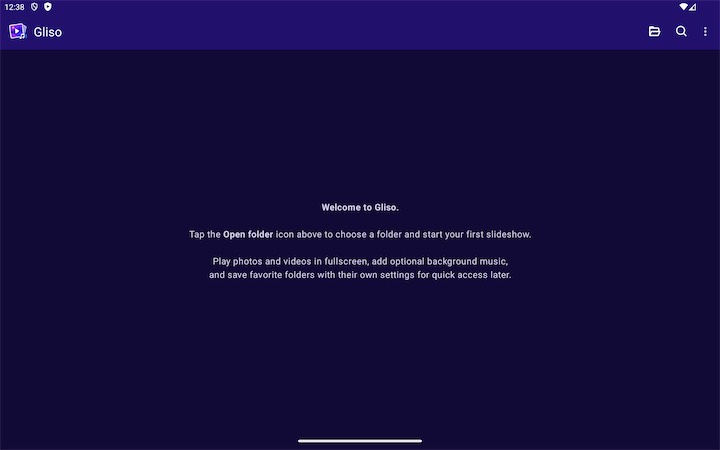
Gliso Gallery Slideshow App Icon

Gliso Gallery Slideshow - Beautiful Folder-Based Slideshows for Android Tablets

Turn your Android tablet into a polished slideshow viewer for local media. Pick a folder once, save it as a reusable profile, and replay photos, videos, and optional background music in immersive fullscreen whenever you want.

๐Ÿ“ฑ Tablet First Designed for larger Android screens
๐Ÿ“‚ Saved Folders Reusable slideshow profiles
๐ŸŽต Mixed Media Photos, videos, and optional music
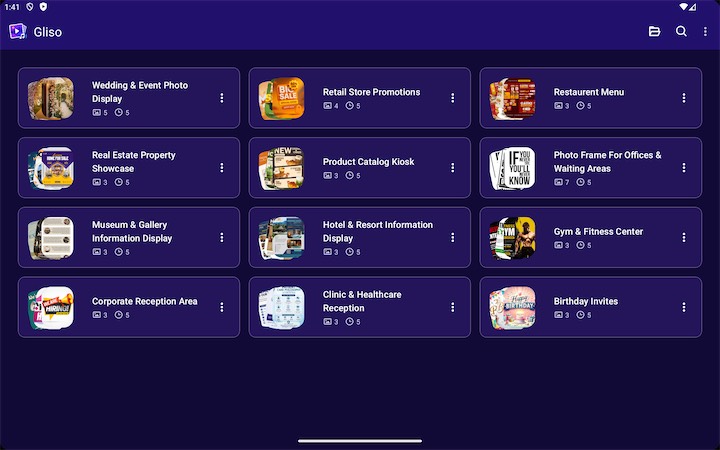
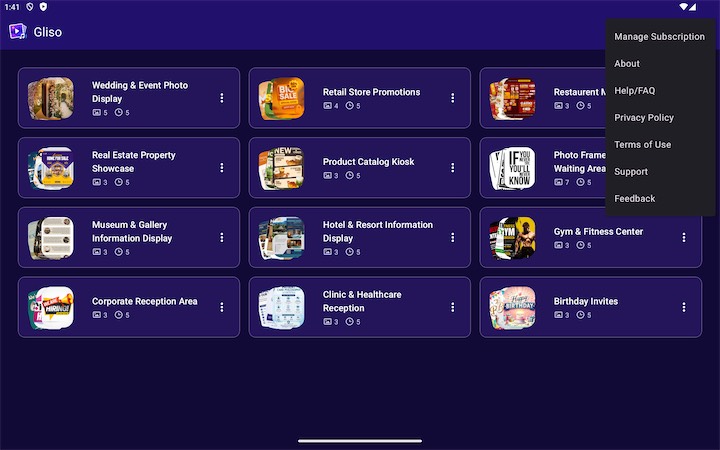
Gliso Gallery Slideshow Android TV screenshot 1
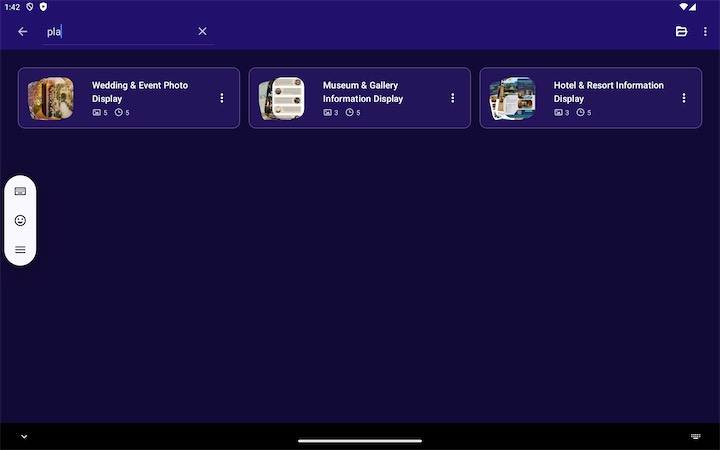
Gliso Gallery Slideshow Android TV screenshot 2
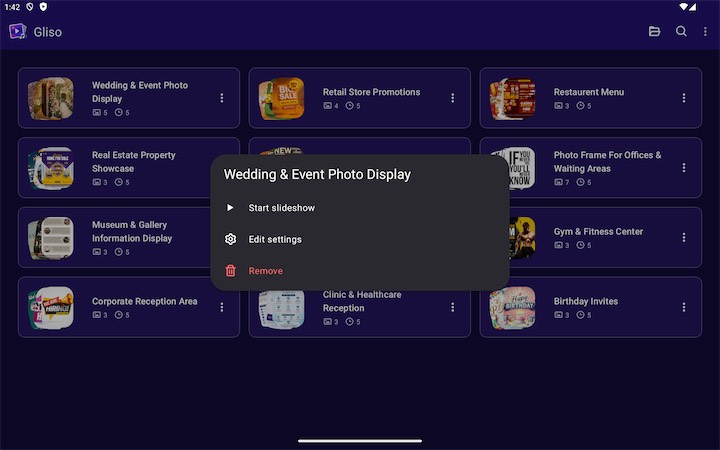
Gliso Gallery Slideshow Android TV screenshot 3
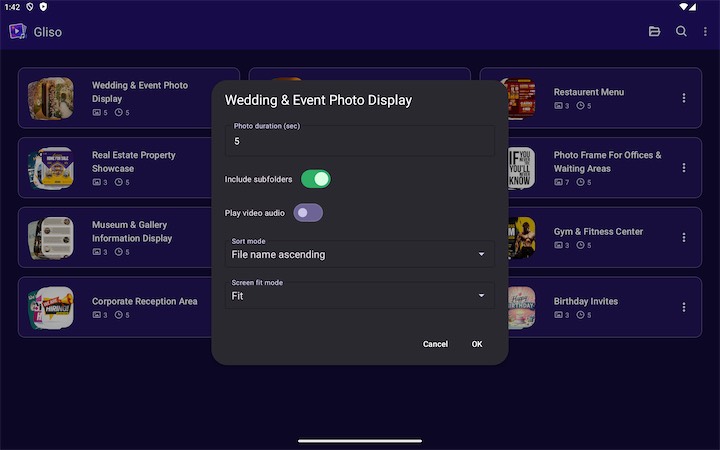
Gliso Gallery Slideshow Android TV screenshot 4
Gliso Gallery Slideshow Android TV screenshot 5
Gliso Gallery Slideshow Android TV screenshot 6

Build a Reusable Slideshow in 3 Steps

1

Choose a Folder

Pick a local folder on your Android tablet, then decide whether Gliso should also include media from subfolders.

2

Save Its Settings

Set photo duration, sort order, video audio behavior, and fit or fill mode. Gliso saves those choices with that folder profile.

3

Play Anytime

Open the saved folder from your recent library and launch the slideshow again in immersive fullscreen whenever you want.

Why Tablet Users Will Like It

๐Ÿ“‚

Reusable Folder Profiles

  • Save multiple folder-based slideshow setups
  • Reopen favorite media collections without setting them up again
๐Ÿ–ผ๏ธ

Mixed Media Playback

  • Play photos and videos together in one fullscreen loop
  • Use smooth fade transitions for a polished viewing experience
๐ŸŽต

Optional Music Layer

  • Use audio files from the same folder as background music
  • Choose whether videos use their own sound or stay muted
๐Ÿ“ฑ

Tablet-Optimized Library

  • Browse saved slideshows in spacious tablet-friendly grids
  • Search, preview, and manage recent folders with touch-friendly controls

Perfect For

๐Ÿ‘จโ€๐Ÿ‘ฉโ€๐Ÿ‘งโ€๐Ÿ‘ฆ

Family Photo Albums

Turn a tablet into a relaxing viewer for vacation memories, family milestones, and everyday photo folders you want to revisit often.

๐ŸŽ‰

Events and Celebrations

Build quick slideshows for birthdays, anniversaries, school functions, reunions, or small event tables using local media folders.

๐Ÿง‘โ€๐ŸŽจ

Portfolios and Creative Showcases

Present artwork, design samples, photography sets, or demo reels on a tablet with fullscreen playback and reusable folder presets.

๐Ÿ›‹๏ธ

Ambient Tablet Displays

Create a calm looping viewer for quotes, mood boards, travel shots, or mixed media collections with optional background music.

Frequently Asked Questions

What is Gliso Gallery Slideshow? +

Gliso Gallery Slideshow is a folder-based slideshow app for Android, designed especially for tablets. It turns local folders into reusable fullscreen slideshows for photos, videos, and optional background music.

Does Gliso work with local folders on my device? +

Yes. You choose folders through Android's document picker, and Gliso saves permission so those folders can be reopened later without repeating setup every time.

Can I save more than one slideshow setup? +

Yes. Each selected folder is saved as its own slideshow profile with its own settings, so different albums can behave differently.

Can photos and videos play in the same slideshow? +

Yes. Gliso supports mixed media playback, so photos and videos can appear together in one continuous fullscreen slideshow.

Can I play music during the slideshow? +

Yes. If the selected folder includes supported audio files, Gliso can use them as optional background music during playback.

Can videos play with their own sound? +

Yes. You can choose whether videos use their own audio or stay muted while background music continues.

What settings can I change for each folder? +

Each saved folder can keep its own photo duration, sort mode, subfolder preference, video audio behavior, and fit or fill screen mode.

Can Gliso include subfolders while scanning media? +

Yes. When you add a folder, you can decide whether Gliso should scan only that folder or include its subfolders too.

Is the app good for tablets? +

Yes. The home screen layout adapts to device size, using roomier grid layouts on tablets for easier browsing and repeat use.

Do I need to upload my media anywhere? +

No. Gliso is built around local folders you explicitly choose, so your slideshow media can stay on your device.

Turn Local Folders Into Beautiful Tablet Slideshows

Download Gliso Gallery Slideshow to play photos, videos, and optional music from reusable folder profiles on Android tablets.